
Handing every password you own to a single application feels like it should be risky. If a password manager gets breached, doesn’t that mean an attacker gets everything at once? This question sits at the heart of why zero-knowledge encryption matters before you ever trust one.
It’s a reasonable worry, and it’s the single biggest reason people avoid password managers even when they know reusing passwords is dangerous. But the worry is based on a misunderstanding of how zero-knowledge encryption actually works. This encryption model most reputable providers use is specifically designed so that even a full breach of the company’s servers shouldn’t hand attackers your actual passwords.
That claim shouldn’t be taken on faith, though — it should be checked against what independent security audits and real breach incidents have actually found about zero-knowledge encryption in practice. This article walks through the encryption architecture behind password managers, what zero-knowledge encryption actually means technically, what real audits have found (good and bad), and how to evaluate whether a given provider’s implementation deserves your trust.
The Core Problem Password Managers Are Solving
Before getting into how they work, it’s worth being precise about what problem password managers solve, because it explains every design decision that follows.
The biggest real-world driver of account compromise isn’t weak passwords — it’s password reuse. When one service gets breached, attackers take the leaked email-and-password pairs and try them against other unrelated services, a technique called credential stuffing. If you use a different, sufficiently long password for every account, this attack simply doesn’t work, regardless of how the breach happened.
The problem is that no one can memorize dozens of unique, long passwords. A password manager removes that constraint by generating and storing them for you, so uniqueness and length stop being a memory problem. The security question that follows naturally is: if the manager is storing everything in one place, what stops that place itself from becoming the single point of failure?
How Encryption Actually Protects Your Vault
Client-Side Encryption
The most important architectural decision a password manager makes is where encryption happens — and it’s the single factor that separates real zero-knowledge encryption from a marketing claim. In a well-built system, your passwords are encrypted and decrypted on your device, before anything is sent to the provider’s servers. Your master password (or a key derived from it) never leaves your device in a usable form.
This is different from how most other cloud services work. When you upload a file to a typical cloud storage service, the company generally has some technical ability to access the unencrypted content, even if their policy says they won’t look. With client-side encryption, the provider physically cannot decrypt your data, because they never possess the key required to do so.

What “Zero-Knowledge” Actually Means
“Zero-knowledge” gets used as a marketing term often enough that it’s worth explaining precisely. In a zero-knowledge architecture, the provider stores only encrypted data — a scrambled blob that’s meaningless without your master password. They do not store your master password, and they do not store a way to derive it.
Technically, this is usually implemented through a key derivation function (commonly PBKDF2, bcrypt, scrypt, or Argon2 — see the OWASP Password Storage Cheat Sheet for how these compare, since the choice of function directly affects how strong the resulting zero-knowledge encryption actually is). When you enter your master password, your device runs it through this function thousands or tens of thousands of times, deriving an encryption key. That key decrypts your vault locally. The provider’s servers only ever see the encrypted vault, never the master password or the derived key.
This has a direct, important consequence: if you forget your master password, most reputable providers cannot recover it for you. They technically don’t have it to recover. This is often framed as an inconvenience, but it’s actually proof the architecture works as claimed — if a company can reset your master password and hand you access, they had the ability to access your vault all along.
Encryption at Rest and in Transit
Beyond the zero-knowledge encryption design, data is also encrypted while stored on the provider’s servers (at rest) and while traveling between your device and their servers (in transit), typically using AES-256 for storage and TLS for transmission. These are industry-standard, well-vetted encryption methods — the interesting question isn’t whether AES-256 is strong enough (it is), but whether the implementation around it has flaws, which is exactly what independent audits of zero-knowledge encryption are designed to catch.
What Independent Security Audits Actually Check
Encryption claims are only as trustworthy as the verification behind them. This is where third-party security audits matter for real zero-knowledge encryption — and where the differences between providers become clearer.
A serious security audit generally examines:
- Cryptographic implementation — whether the encryption is applied correctly, not just theoretically strong. Strong algorithms implemented with subtle bugs can still be broken.
- Source code review — for providers that publish source code (open-source or source-available), auditors and the security community can inspect exactly how data is handled, rather than trusting a company’s description of its own system.
- Server infrastructure — how the company’s backend handles authentication, session management, and access controls, since a flaw here could expose encrypted vaults even without breaking the encryption itself.
- Penetration testing — active attempts to break into the system the way a real attacker would, rather than passive code review alone.
Reputable password managers publish these audit reports, often conducted by recognized security firms, and disclose findings — including flaws that were found and subsequently fixed. Bitwarden’s published audit history is a useful example of what transparent disclosure of zero-knowledge encryption looks like in practice. A provider that has never been independently audited, or that refuses to publish results, is asking for trust it hasn’t earned through verification.
What Real Breaches Have Actually Revealed
Audits describe intended design. Real incidents test it. A useful way to evaluate whether zero-knowledge encryption claims actually hold up is to look at what happened when a password manager provider actually got breached.
In incidents where a password manager’s servers were compromised, the pattern that matters most is this: attackers who gained access to the company’s infrastructure obtained encrypted vault data, not usable passwords. Recovering the actual stored passwords from that encrypted data would still require breaking each user’s individual master password — which, if that master password was long and unique, remains computationally impractical even with the stolen encrypted blob in hand.
This is the practical proof of the architecture working as designed: a server breach, on its own, is not the same as a password breach, provided the zero-knowledge encryption model was implemented correctly and your master password was strong.
That said, real incidents have also revealed genuine weak points worth knowing about:
Metadata exposure. Even when actual password contents stay encrypted, breaches have sometimes exposed metadata — the list of website URLs stored in a vault, for example, even without the corresponding passwords. This doesn’t hand over your accounts directly, but it can reveal which services you use, which itself has some privacy value to an attacker planning further targeted attacks.
Weak master passwords. The entire zero-knowledge encryption model depends on your master password being strong, because it’s the only thing standing between an attacker with stolen encrypted data and your actual passwords. A short or common master password undermines the protection regardless of how well the surrounding system is built.
Browser extension vulnerabilities. Some of the more concerning security research in this space hasn’t targeted the core encryption at all, but flaws in browser extension implementations — how the extension detects login fields, autofills credentials, or communicates with the browser. These are a different attack surface than the vault encryption itself, and they’re worth checking a provider’s track record on separately.
How to Evaluate a Provider’s Zero-Knowledge Encryption Yourself
Rather than relying on marketing claims, here’s what to actually check before trusting a provider with your passwords:
Does it publish independent audit reports? Look for named, recognized security firms and dated, specific reports — not vague statements like “we take security seriously.”
Is the encryption client-side and zero-knowledge, specifically? Some providers use the term “encrypted” without clarifying whether they hold the decryption keys. If a provider can reset your master password and restore access without you providing it, that’s a sign they can technically access your data.
What happened in past incidents, if any? A provider with zero history of any incident isn’t necessarily safer than one that was breached but responded transparently, disclosed what was and wasn’t exposed, and demonstrated the encryption held. How a company handles a bad day tells you more than a clean record with no scrutiny behind it.
Is the master password protected by a strong key derivation function? Providers using modern functions like Argon2 or a sufficiently high-iteration PBKDF2 are making brute-force attacks against your master password meaningfully slower for an attacker.
Does it support hardware security keys or authenticator-based 2FA for the account itself? This protects the outer account (login to the password manager’s app or web portal) separately from the vault encryption, adding a layer against phishing or credential stuffing targeting your password manager account specifically. For a deeper look at how different 2FA methods compare, see our guide on what two-factor authentication actually blocks and where it fails.
Common Objections, Addressed Honestly
“What if the company itself is malicious?”
This is a legitimate question, and open-source or source-available password managers offer a partial answer: independent researchers can inspect the actual code running in production, rather than trusting a closed-source company’s description of its own system. It’s not a perfect guarantee — audited code and deployed code can theoretically diverge — but it substantially raises the cost of hiding malicious behavior compared to fully closed systems.
“What if I forget my master password?”
As covered above, this is largely unavoidable in a genuine zero-knowledge system, and it’s a deliberate tradeoff, not an oversight. Some providers offer optional account recovery mechanisms (a printed recovery key, or a trusted-contact system), but these represent a different tradeoff between convenience and the strictness of zero-knowledge encryption — worth understanding before you rely on them, not after you need them.
“Isn’t a browser’s built-in password manager good enough?”
Built-in browser password managers have improved significantly and do offer basic encryption, but they historically lagged behind dedicated tools in areas like cross-platform audit transparency, phishing-resistant autofill behavior, and dedicated security-focused feature sets like breach monitoring — the kind of scrutiny genuine zero-knowledge encryption requires. For low-stakes accounts, a browser’s built-in manager is far better than reusing passwords. For anything tied to your finances, primary email, or identity, a dedicated, independently audited manager is generally the stronger choice.
“Doesn’t putting everything in one place create a single point of failure?”
In a sense, yes — but the alternative isn’t actually safer. Without a password manager, most people either reuse a handful of passwords across dozens of accounts (creating dozens of single points of failure connected to each other through reuse) or write passwords down insecurely. Well-implemented zero-knowledge encryption concentrates risk into one system that’s specifically engineered, tested, and audited to resist that exact scenario — which is a meaningfully different risk profile than dozens of unmanaged, reused, unaudited passwords scattered across services with wildly different security practices.
Setting Up a Password Manager the Right Way
Choosing a well-audited provider is only the first step. A few setup choices meaningfully affect how much real protection that zero-knowledge encryption actually gives you:
Make your master password long, not just complex. Since this single password protects everything else, it deserves the strongest passphrase you can create — see our guide on why password length matters more than traditional complexity rules for the reasoning behind this. Because you only need to remember one password now, there’s no excuse for it being short.
Enable 2FA on the password manager account itself, not just on the accounts it stores. This protects the “front door” to your entire vault, separately from vault encryption.
Turn on breach monitoring, if the provider offers it. Many password managers can alert you if a stored login appears in a newly discovered data breach, letting you change that specific password before it’s exploited via credential stuffing.
Store your recovery key or backup codes offline, separate from the device where the password manager is installed. If your device is lost, stolen, or fails, this is what prevents a single point of failure from also becoming a permanent lockout.
Audit stored passwords periodically. Most password managers include a built-in tool that flags weak, reused, or old passwords still present in your vault from before you switched to unique, generated ones. Running this occasionally closes gaps left over from before you started using the tool consistently.
Browser Extensions: A Layer Zero-Knowledge Encryption Doesn’t Cover
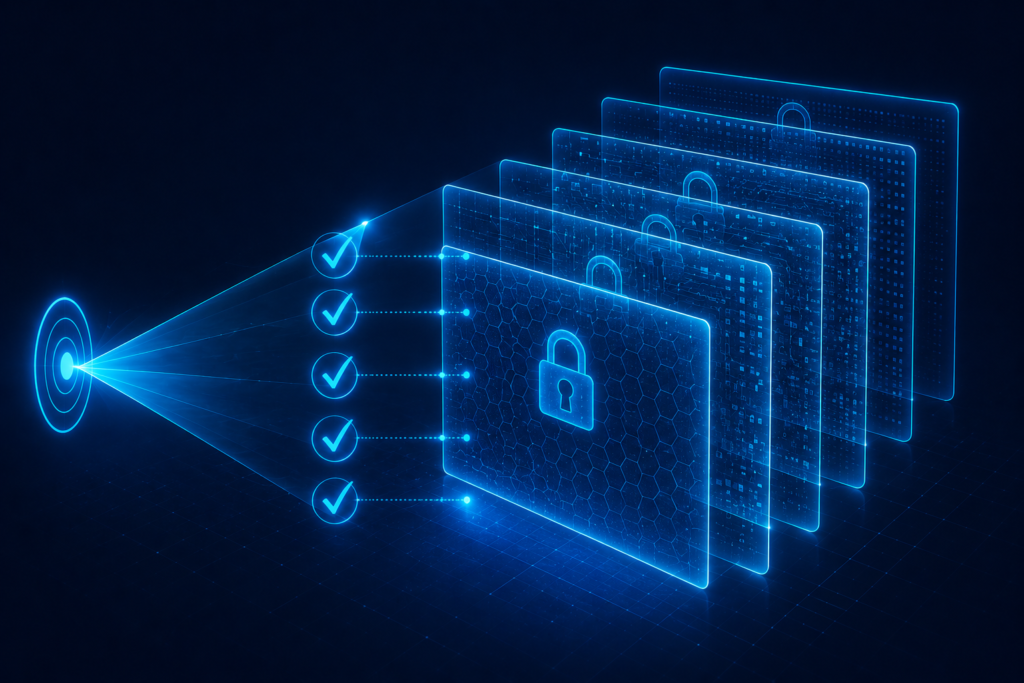
Vault encryption is only one part of the picture. In daily use, most people interact with their password manager through a browser extension — the small icon that autofills your credentials on login pages — and this component has its own, distinct security considerations that don’t reduce directly to “is the encryption strong.”
Browser extensions need broad permissions to detect login fields and inject credentials automatically, which makes them a meaningfully different attack surface than the encrypted vault itself. Security researchers have found real vulnerabilities in this layer across multiple providers over the years — not in the underlying AES-256 encryption, which has generally held up well under scrutiny, but in how extensions decide which page is legitimate before autofilling.
A poorly implemented extension might autofill credentials on a page that merely resembles the real login screen, rather than strictly verifying the exact domain first. This is precisely the kind of flaw that sits outside what zero-knowledge encryption alone can protect against, no matter how well the vault itself is encrypted.
Practically, this means two things are worth checking about any provider you’re considering: whether they’ve had extension-specific vulnerabilities disclosed and patched (a track record of fixing these, again, says more than a spotless but unscrutinized history), and whether the extension requires manual confirmation before autofilling on unfamiliar domains, rather than filling automatically on anything that looks close enough.
Frequently Asked Questions
Are password managers actually safer than writing passwords down?
For most people, yes. A written password can be found, photographed, or accessed by anyone with physical access to where it’s stored, with no encryption protecting it. A well-audited password manager protects the same information behind strong encryption that remains difficult to break even if the storage location itself is compromised.
What happens to my passwords if the password manager company shuts down?
Reputable providers typically offer an export feature that lets you download your vault in a readable or encrypted format before discontinuing service, and most give advance notice if they plan to shut down. It’s worth periodically confirming your provider still supports exporting your data, so you’re not caught without an option if this happens.
Can a password manager be hacked?
The company’s servers can be breached, as has happened to some providers. In a properly implemented zero-knowledge encryption system, however, what attackers obtain in that scenario is encrypted data that still requires cracking each individual user’s strong master password — which remains impractical if that master password is genuinely long and unique.
Is it safe to use the same password manager across my phone and computer?
Yes — that’s the intended use case, and it’s part of what makes unique passwords practical across devices. Synchronization between your devices happens through the encrypted vault; the provider’s servers only ever handle the encrypted version, regardless of how many devices are syncing.
Should I trust a free password manager?
It depends entirely on the specific provider’s audit history and encryption architecture, not on price alone. Some well-regarded password managers offer capable free tiers with the same underlying zero-knowledge encryption as their paid versions. The audit and transparency questions in this article apply regardless of what the service costs.
Is a business or team password manager different from a personal one?
The core encryption principles are the same, but team-oriented password managers add a layer for securely sharing specific credentials among multiple people without exposing the underlying password in plain text to everyone with access. This typically works through per-user encryption keys combined with encrypted sharing permissions, rather than simply storing a shared plaintext password visible to the whole team. When evaluating zero-knowledge encryption for a team specifically, the same questions apply — published audits, a genuine zero-knowledge architecture — with the added consideration of how access is revoked when someone leaves the team.
What is the single most important thing to check before choosing one?
Whether the provider publishes independent, named security audits and clearly states a genuine zero-knowledge encryption architecture. Marketing language alone — “military-grade encryption,” “bank-level security” — is not a substitute for verifiable evidence.
Final Thoughts
The instinct that putting all your passwords in one place sounds risky isn’t wrong — it would be, if that place worked like most other cloud services, where the provider holds the keys to your data. Genuine zero-knowledge encryption is specifically engineered so that isn’t the case: your master password and the keys derived from it never leave your device in usable form, which means a breach of the provider’s servers yields encrypted data rather than your actual passwords.
That architecture isn’t something to take on faith, though. It’s verifiable through independent audits, and it’s been tested — sometimes literally, through real breach incidents — in ways that show the model largely holding up, provided your own master password is strong enough to resist offline cracking attempts against the encrypted data.
The realistic alternative to a password manager isn’t a world of perfectly memorized, unique, strong passwords for every account. It’s password reuse, which is the single biggest cause of real-world account compromise. Judged against that actual alternative, rather than an unrealistic ideal, a well-audited, properly configured password manager is a meaningful security upgrade — not a leap of faith.