
“Enable two-factor authentication” is probably the single most repeated piece of security advice on the internet. It’s also one of the least explained. Most people turn two-factor authentication on because they were told to, without ever learning what it actually protects against — or, just as important, what it doesn’t.
That gap matters. Not all forms of two-factor authentication (2FA) offer the same protection. An SMS code and a hardware security key both technically satisfy “enable two-factor authentication,” but they stop very different attackers. Understanding the difference is the difference between a login step that mostly reassures you and one that actually stops an intrusion.
This article breaks down how two-factor authentication works, what specific attacks each method blocks, where each one can still be defeated, and how to choose the right level of two-factor authentication for different accounts.
What Two-Factor Authentication Actually Does
At its core, 2FA requires two different types of proof before granting access to an account. Security researchers usually group proof into three categories:
- Something you know — a password or PIN.
- Something you have — a phone, a security key, an authenticator app.
- Something you are — a fingerprint, face scan, or other biometric.
A password alone is “something you know.” Two-factor authentication adds a second category, almost always “something you have.” The idea is straightforward: even if an attacker learns your password, they still need physical access to your second factor to get in.
This single design decision is what makes 2FA effective against the most common way accounts are actually compromised: credential stuffing, where attackers try passwords leaked from other breaches against your account. A leaked password is useless to them without your phone, app, or key sitting on your desk.
What 2FA Reliably Blocks
Credential Stuffing
This is 2FA’s strongest use case. If your password appears in a breach of another service and gets reused against your account, 2FA stops the login cold — the attacker has the correct password but no second factor. This alone accounts for a large share of the protection 2FA provides in practice, because password reuse is extremely common.
Basic Brute-Force Attempts
If an attacker is guessing passwords directly against your login page, 2FA adds a second wall they can’t script around easily, especially with time-limited codes that expire within 30–60 seconds.
Automated Bot Attacks
Large-scale automated attacks that test thousands of accounts per minute generally aren’t set up to solve individual 2FA challenges. Adding a second factor removes your account from the pool of “easy” targets these bots are built for.
Where 2FA Starts to Fail
This is the part most advice skips entirely — and it’s the part that actually matters when choosing which method to use.
SIM Swapping
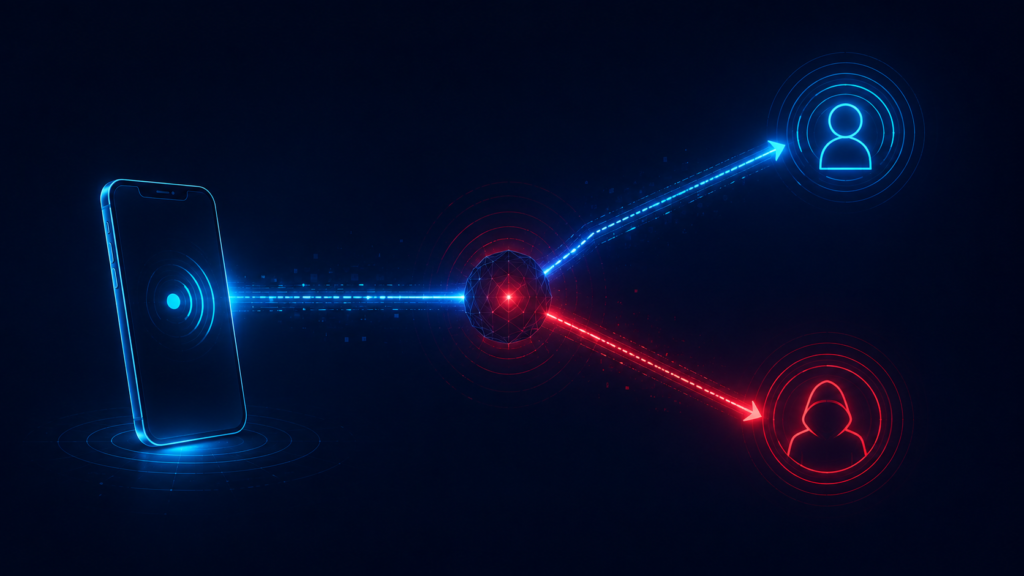
SMS-based 2FA is vulnerable to a specific, well-documented attack: SIM swapping. An attacker contacts your mobile carrier, impersonates you using personal details gathered elsewhere (often from data breaches or social media), and convinces the carrier to transfer your phone number to a SIM card they control. Once that happens, your SMS codes go straight to them.
This isn’t a theoretical risk. SIM swapping has been used in real, documented account takeovers, including high-profile cases involving cryptocurrency accounts and social media profiles. The attack doesn’t require breaking any encryption — it exploits the customer service process of mobile carriers, which is a much softer target.
SS7 Network Interception
Even without a SIM swap, SMS messages travel over a decades-old telecom protocol called SS7, which has known interception vulnerabilities. This is a more technically demanding attack, generally reserved for well-resourced or targeted attackers rather than opportunistic ones — but it means SMS 2FA has a theoretical ceiling that no amount of careful behavior on your part can fix.
Real-Time Phishing (Adversary-in-the-Middle)
This is the method that defeats almost every form of 2FA except hardware keys, and it’s becoming more common. Instead of just stealing your password, the attacker builds a fake login page that sits between you and the real service in real time. You enter your password and your 2FA code into the fake page; the attacker’s server immediately forwards both to the real service, logs in, and captures the resulting session — all within the code’s short validity window.
Because you’re providing a genuinely valid code to what looks like the real site, this method defeats SMS codes, authenticator app codes, and even some push notifications, if you’re not paying attention. It doesn’t defeat hardware security keys, for a reason explained below.
SIM-Free but Still Phishable: Push Notification Fatigue
Push-based 2FA (a notification asking “Was this you? Approve/Deny”) is more resistant to phishing than a typed code, but introduces a different weakness: MFA fatigue attacks. An attacker who already has your password can trigger repeated login attempts, sending push notification after push notification, hoping you’ll eventually tap “Approve” just to make the notifications stop — or by mistake. This social-engineering angle has been used successfully against several major companies in recent years.
Comparing 2FA Methods by What They Actually Resist
| Method | Stops credential stuffing | Stops SIM swap | Stops real-time phishing | Stops MFA fatigue |
|---|---|---|---|---|
| SMS code | Yes | No | No | N/A |
| Authenticator app (TOTP) | Yes | Yes | No | N/A |
| Push notification | Yes | Yes | Partially | No |
| Hardware security key (FIDO2/U2F) | Yes | Yes | Yes | Yes |
Why Hardware Keys Are Different
A hardware security key (like a YubiKey or a Google Titan key) doesn’t just generate a code you type in — it performs cryptographic verification tied to the exact domain you’re logging into. If a phishing page mimics your bank’s login screen but is hosted on a different domain, the key simply refuses to respond, because the cryptographic challenge doesn’t match. This is what makes hardware keys resistant to real-time phishing in a way that codes — no matter how they’re delivered — cannot be.
The tradeoff is practicality: hardware keys cost money, can be lost, and aren’t supported by every service. For most people, they’re worth using on the one or two accounts that would cause the most damage if compromised — typically a primary email account or a cryptocurrency exchange — rather than everywhere.
How Authenticator App Codes Actually Work
It’s worth understanding the mechanism behind authenticator apps, because it explains both why this form of two-factor authentication is effective and why it has a specific failure mode worth knowing about.
Authenticator apps like Google Authenticator or Authy use an algorithm called TOTP (Time-based One-Time Password), standardized in RFC 6238. When you first set up two-factor authentication on a service, it generates a secret key and shares it with your app — usually via a QR code. From that point on, both the service and your app independently calculate a new code every 30 seconds, using the same secret key combined with the current time as inputs to a cryptographic hash function.
Because both sides run the same calculation using the same shared secret and the same clock, they arrive at the same code without ever needing to communicate during the login itself. This is why app-based two-factor authentication works even with your phone in airplane mode — there’s no network round-trip involved in generating the code.
This design has one practical consequence worth knowing: if your device’s clock drifts significantly out of sync, the codes it generates can stop matching what the service expects, since the calculation depends on accurate time. Most authenticator apps correct for this automatically, but it’s a real, if rare, cause of “my code isn’t working” that has nothing to do with the app being broken or your account being compromised.
It also explains why the secret key matters more than the app itself. If someone gains access to that underlying secret — for example, through a screenshot of the setup QR code, or a cloud backup of the authenticator app that isn’t itself protected — they can generate valid codes on their own device without needing yours at all. This is a genuinely different risk than phishing a single code: it’s a persistent compromise, not a one-time interception, which is why protecting the initial setup step deserves the same care as protecting a password.
Setting Up Two-Factor Authentication the Right Way
Turning two-factor authentication on is usually a few taps, but a handful of setup choices meaningfully affect how much protection you actually get and how painful recovery is if something goes wrong.
Save your backup codes immediately, not later. Almost every service generates a set of one-time backup codes when you enable two-factor authentication. Store them somewhere durable and separate from the device running your authenticator app — a password manager’s secure notes feature works well, since it’s already encrypted and accessible from multiple devices. For more on how that encryption actually holds up, see our guide on how password managers protect your data, based on security audits.
Avoid relying on a single device for every account’s second factor. If your phone is lost, stolen, or damaged, and every account’s two-factor authentication lives only on that one device with no backup codes saved, you can be locked out of everything at once. Some authenticator apps support encrypted cloud backup specifically to prevent this — worth enabling if the app offers it and you trust its encryption model.
Register more than one method where the service allows it. Many services let you add both an authenticator app and a hardware key, or a backup phone number as a true fallback. Redundancy here isn’t excessive — it’s what prevents a single lost device from turning a form of two-factor authentication meant to protect you into the reason you’re locked out.
Re-verify your recovery options periodically, especially after changing phone numbers or replacing devices. A stale recovery phone number or an authenticator app still installed on a phone you sold is a gap that sits quietly until the moment you actually need it.
Don’t screenshot or casually store the QR code used for setup. As explained above, that image contains the secret key itself. If it ends up in a cloud photo backup that gets compromised, an attacker gains the ability to generate valid two-factor authentication codes indefinitely, not just intercept one login.
Common Misconceptions About Two-Factor Authentication
“Two-factor authentication means I’m basically unhackable.” No single security measure provides complete protection. Two-factor authentication closes off entire categories of attack, particularly credential stuffing, but it doesn’t protect against malware already running on your device, a compromised recovery email, or you being tricked into approving a fraudulent request yourself.
“Any form of two-factor authentication is as good as any other.” As the comparison earlier in this article shows, this isn’t accurate. SMS-based two-factor authentication and a hardware security key protect against meaningfully different sets of attacks, even though both are commonly described with the same term.
“Two-factor authentication slows me down too much to bother.” Modern implementations — particularly push notifications and biometric-backed authenticator apps — usually add only a few seconds to login. That cost is small compared to the time and stress of recovering a compromised account, which can take days and sometimes involves permanent loss of access to associated data.
“I don’t need two-factor authentication because my password is really strong.” Password strength and two-factor authentication protect against different threats. A strong password resists cracking attempts against a stolen database, but it does nothing against phishing, and it offers no protection at all if that exact password is exposed in a breach of an unrelated service and reused through credential stuffing.
How to Choose the Right Method for Each Account
Not every account needs the same level of protection. Matching the method to the stakes is more practical than trying to maximize security everywhere at once.
For your primary email and financial accounts: use an authenticator app at minimum; a hardware security key if the service supports one. These accounts often control password resets for everything else, making them the highest-value target.
For most other accounts: an authenticator app (Google Authenticator, Authy, or similar) is a solid default. It’s immune to SIM swapping and free to use.
Avoid SMS as your only option when an alternative exists. It’s still far better than no 2FA at all, but it should be the fallback, not the first choice, given the SIM-swap risk.
Be alert to fatigue attacks. If you receive a push notification you didn’t request, deny it — and change your password immediately, since it means someone already has it.
What to Do If You Suspect Your 2FA Was Bypassed
If you notice a login you didn’t perform, a device you don’t recognize, or a stream of unexpected push notifications, act quickly. Change the account’s password right away, and if the service allows it, revoke active sessions on other devices from the account’s security settings. Then check whether your 2FA method itself was changed — attackers who gain temporary access sometimes swap the registered phone number or authenticator to lock you out permanently, so confirming your recovery options are still yours should be one of the first things you check.
Strong, unique passwords remain the foundation this all sits on top of — see our guide on why most password advice misses the point that actually matters for how password strength and 2FA work together.
Where Two-Factor Authentication Is Headed: Passkeys
It’s worth knowing about a newer technology that’s starting to replace traditional two-factor authentication for some services: passkeys. A passkey uses the same underlying cryptographic principle as a hardware security key — a public-private key pair tied to a specific domain — but stores the private key on your device (protected by your device’s biometric lock) instead of requiring a separate physical key.
Functionally, this means a single passkey login already combines what two-factor authentication normally requires in two separate steps: “something you have” (your registered device) and “something you are” (the biometric unlock that authorizes the device to use its stored key). Because the cryptographic challenge is tied to the exact domain requesting it, passkeys inherit the same phishing resistance that makes hardware keys effective against real-time phishing — a fake login page simply cannot request a valid response, regardless of how convincing it looks.
Passkey adoption is still uneven across services, and syncing passkeys across devices depends on the ecosystem you’re in (a passkey created on an iPhone syncs differently than one created on a Windows laptop, for instance). For now, passkeys are best treated as a strong option where a service offers them, used alongside — not yet as a full replacement for — the two-factor authentication methods covered in this article for services that don’t yet support passkeys at all.
Frequently Asked Questions
Is SMS-based 2FA still worth using?
Yes, if it’s the only option available. SMS 2FA is significantly better than no second factor at all, since it still blocks basic credential stuffing and casual brute-force attempts. It should simply be treated as a fallback rather than a first choice when an authenticator app or hardware key is available.
Can 2FA be hacked?
Yes, but the methods vary widely by type. SMS codes can be intercepted through SIM swapping or SS7 vulnerabilities. Authenticator app codes and push notifications can be defeated by real-time phishing or fatigue attacks. Hardware security keys are currently the most resistant option to these specific attack types.
What is the difference between 2FA and MFA?
Two-factor authentication (2FA) specifically requires exactly two proof types. Multifactor authentication (MFA) is the broader term, covering any combination of two or more. In everyday use, the terms are often used interchangeably, since most consumer services only implement two factors.
Should I use an authenticator app or my phone’s built-in biometrics?
They serve different purposes. Biometrics (fingerprint or face unlock) typically protect the device itself and the app running on it, while an authenticator app generates the actual second factor sent to the service you’re logging into. Using both together — biometrics to unlock the phone, an authenticator app for the login code — adds meaningful protection at each layer.
Do I need a hardware security key?
Not necessarily for every account. They provide the strongest protection against phishing but come with cost and the risk of losing the physical device. They’re most worth the investment for your primary email, financial accounts, or anything tied to a large amount of money or sensitive access.
What should I do if I lose access to my 2FA method?
Most services provide backup codes generated when you first set up 2FA — store these somewhere safe and separate from your phone, such as in a password manager’s secure notes feature. Without them, account recovery can be slow and may require identity verification through the service’s support process.
Is two-factor authentication required by law?
Not universally, but a growing number of regulations and industry standards effectively require it for specific sectors. Financial services, healthcare, and government-adjacent systems increasingly mandate two-factor authentication as part of compliance frameworks, even where general consumer law doesn’t require it directly.
Final Thoughts
Two-factor authentication isn’t a single tool — it’s a category with meaningfully different levels of protection depending on which method you choose. SMS codes stop the most common attacks but fall to SIM swapping. Authenticator apps close that gap but remain vulnerable to real-time phishing. Hardware keys close that gap too, at the cost of convenience and price.
None of this means two-factor authentication isn’t worth using — quite the opposite. Even the weakest form of two-factor authentication blocks the attack that compromises the most accounts in practice: reused, leaked passwords. But knowing where each method’s protection ends means you can make an informed decision about which accounts deserve the strongest option available, rather than assuming “two-factor authentication is on” means the account is fully protected against everything.
The right approach isn’t picking one method of two-factor authentication for every account. It’s matching the strength of the second factor to what you’d actually lose if that account were compromised.